Settings and emails
Slotiva → Settings collects what is not tied to working hours.
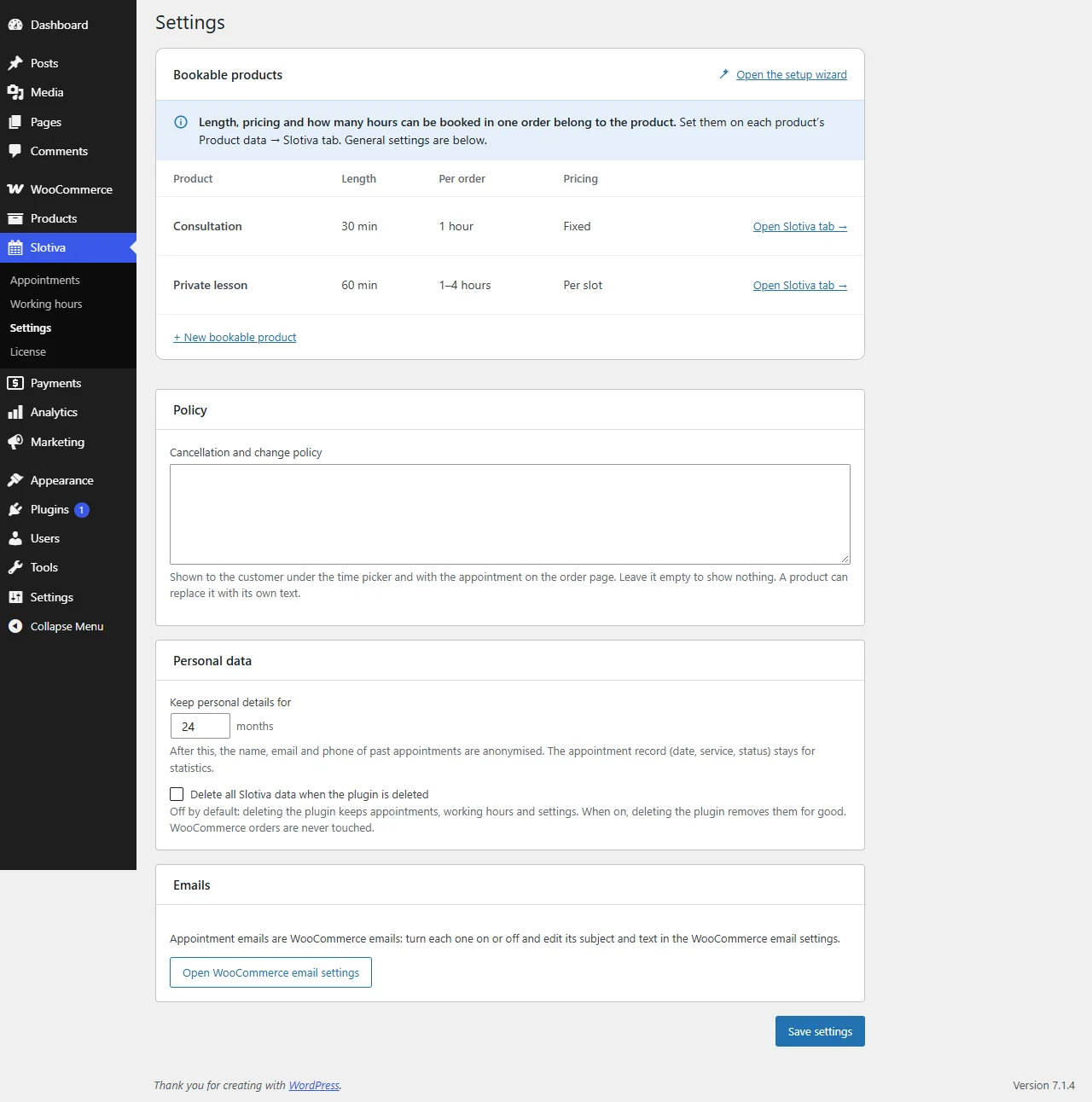
Bookable products
Every bookable product with its length, hours per order and pricing (Fixed or Per slot). Open Slotiva tab goes to the product's own settings; + New bookable product and Open the setup wizard start the wizard. See Bookable product.
Policy
Cancellation and change policy — your text is shown to the customer under the time picker and with the appointment on the order page. Leave it empty to show nothing. A product can replace it with its own text.
Personal data
- Keep personal details for (default 24 months, 1 to 120) — after this, the name, email and phone of past appointments are anonymised. The appointment record (date, service, status) stays for statistics.
- Delete all Slotiva data when the plugin is deleted — off by default: deleting the plugin keeps appointments, working hours and settings. When on, deleting the plugin removes them for good. WooCommerce orders are never touched.
WordPress's own personal data export and erasure tools (Tools → Export / Erase Personal Data) include appointments and their history.
Emails
Appointment emails are WooCommerce emails. Turn each one on or off and edit its subject and text in WooCommerce → Settings → Emails (the Open WooCommerce email settings button takes you there).
| Sent to | When | |
|---|---|---|
| Booking confirmed | Customer | Once per order, when every appointment of the order is confirmed. |
| Booking reminder | Customer | Before the appointment — set the time on Slotiva → Working hours (default 24 hours before). |
| Booking time changed | Customer | You moved the appointment and ticked Email the new time to the customer. |
| Booking cancelled | Customer | An appointment is cancelled, or a bank-transfer deadline passes. |
| New booking | Shop | Once per order, when a booking is confirmed. |
| Booking conflict | Shop | A paid order could not keep its time (see Appointments). Refund or set a new time by hand. |
These emails carry a calendar file (.ics); the cancellation email carries a calendar cancellation, so the appointment disappears from the customer's calendar app.