
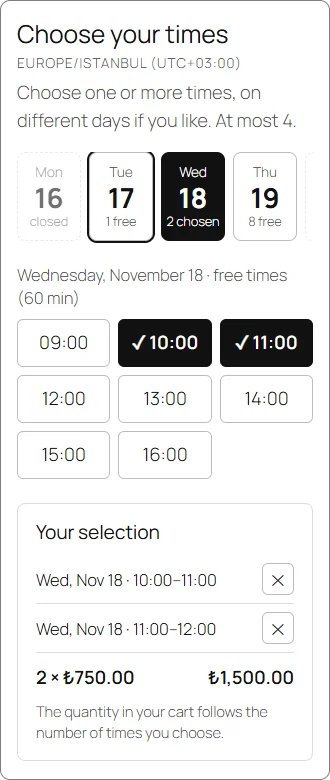
Customers pick their hours at checkout
Your customer chooses a day and one or more times right on the WooCommerce checkout page and pays in one step. The time is held while the payment is pending, so two customers never book the same time.
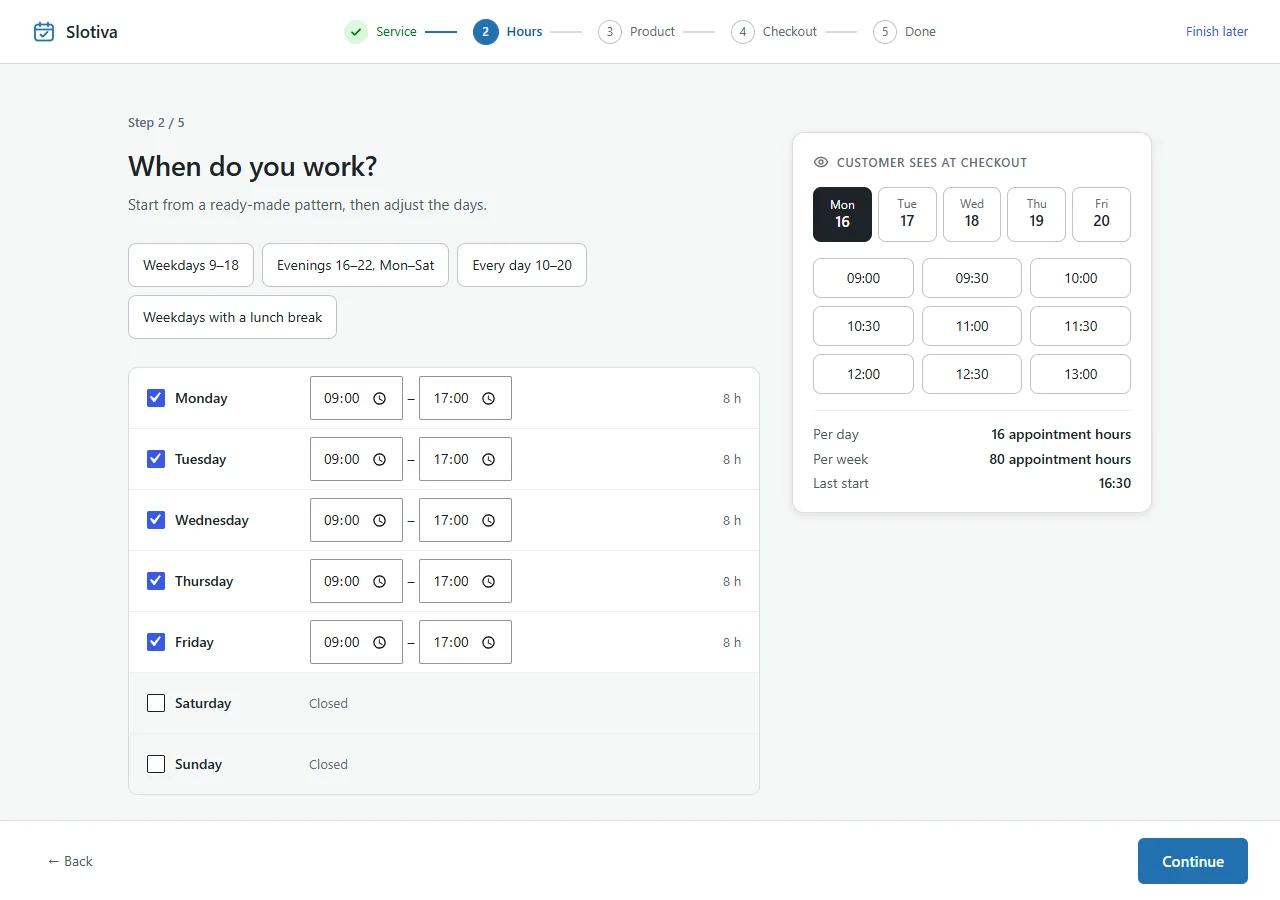
Set up in about three minutes
A five-step wizard opens right after activation: your service, working hours, the bookable product and the checkout. Every answer can be changed later.
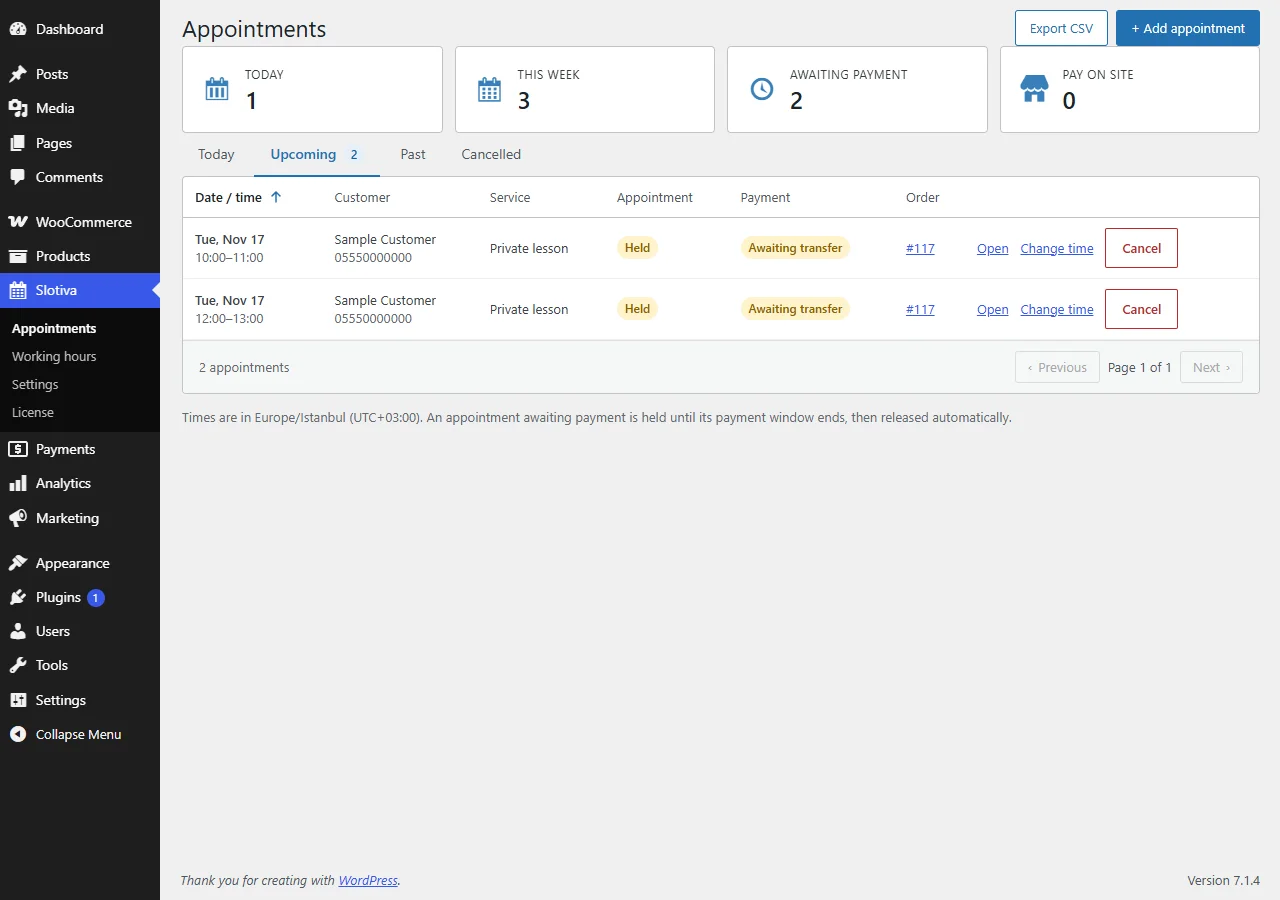
Appointments in WordPress
See today's, upcoming, past and cancelled appointments in one list. Change a time, cancel, add an appointment by hand or export the list as CSV.
Requires WordPress 7.0+, PHP 8.1+ and WooCommerce 11.2+ with the Checkout block.